WordPress is one of the most popular platforms for e-commerce. According to statistics, as of 2026, one-third of all online shops use WordPress via WooCommerce.
What makes WordPress especially powerful for online selling is its plugin system. You can extend your store with specialized e-commerce plugins for shopping carts, digital downloads, payments, checkout optimization, and more. This approach allows you to build a store that fits your exact products and your audience.
Because WordPress is so popular, there are many plugins available, making it difficult to choose the best ones for your store. I tested the most relevant WordPress e-commerce plugins in 2026 to help you find the best solutions for your business.
How I evaluated WordPress e-commerce plugins
To find the best WordPress e-commerce plugins, I tested each option using a standard WordPress setup and a sample digital product. My goal was to evaluate tools the way a small business or creator would, so I was looking for simplicity, reliability, and real performance.
Here’s what I focused on during testing:
- Ease of setup
- Checkout experience
- Payment options
- Customization and design flexibility
- Digital file delivery and security
- Additional features, e.g., built-in marketing tools, discount codes, etc.
- Performance and reliability
- Cost vs. value
Testing in these areas allowed me to evaluate plugins based on practicality, usability, and small business value, so you could choose the right tools for your WordPress store without wasting time or money.
Disclaimer
WordPress plugins are constantly evolving. New features, updates, and pricing changes regularly. The information in this article reflects what was publicly available at the time of writing. Before installing or purchasing any plugin, be sure to check the developer’s resources for the most up-to-date details, features, pricing, and compatibility.
Best WordPress plugins for e-commerce at a glance
Sellfy is a fast and simple solution for selling digital products with embeddable buttons, secure file delivery, and built-in marketing tools.
Easy Digital Downloads focuses entirely on digital commerce, offering secure downloads, flexible payments, and an extensible ecosystem for subscriptions and licences.
Download Monitor is a lightweight plugin for managing and delivering digital files, with file protection, tracking, and simple lead generation.
Digital Download Goods Checkout for WooCommerce speeds up WooCommerce checkout for digital products by removing unnecessary fields and simplifying the buying process.
WP EasyCart is a beginner-friendly e-commerce plugin for selling digital and physical products with built-in payments, subscriptions, and marketing tools.
Ecwid eCommerce Shopping Cart is a hosted solution perfect for multi-channel selling, low-maintenance stores, and handling product catalogs outside WordPress.
Sell Downloads is a simple PayPal-based plugin for selling downloadable files with easy setup and lightweight performance.
MemberPress is a full-featured membership plugin for gated content, subscriptions, drip content, and digital product sales.
Sunshine Photo Cart is designed for photographers and creatives to sell images, galleries, and media with client proofing and secure delivery.
RomanCart is a hosted shopping cart that allows embedding checkout anywhere on your site with automatic file delivery for digital products.
WordPress Download Manager is a robust tool for selling digital files with access control, licensing, marketplace features, and cloud storage integration.
WooCommerce is the most flexible WP e-commerce plugin for full store control, supporting physical and digital products and subscriptions.
PayKickstart is a SaaS platform that allows maximizing recurring revenue with subscription management, affiliate tools, and churn-reduction features.
WordPress Simple Shopping Cart is a lightweight, PayPal-first plugin for small digital stores with simple add-to-cart buttons and easy setup.
SureCart is a managed all-in-one e-commerce plugin with subscriptions, upsells, tax handling, and visual checkout customization.
BigCommerce is a scalable SaaS e-commerce solution for WordPress, offloading heavy store tasks while keeping full design control on WordPress.
CartFlows is a funnel and upsell builder for WooCommerce, with one-click upsells, order bumps, A/B testing, and pre-built sales funnels.
ProfilePress is a modern membership plugin for selling courses, digital memberships with content restriction and frontend management.
18 WordPress e-commerce plugins I put to test this year
There are hundreds of WordPress plugins available, but not all of them are built for e-commerce. I looked for the most effective options for selling online, focusing on usability, performance, and real value for store owners. Let’s dive in and explore the best options I found.
1. Sellfy: The best WordPress e-commerce plugin for digital downloads
Sellfy is one of the fastest and easiest ways to start selling digital products on a WordPress website. What sets Sellfy apart is that it is not a plugin, so it does not require installation inside your WordPress dashboard. Instead, you embed customizable “Buy now” buttons or a shopping cart widget directly into any post or page.
With Sellfy, digital products are delivered immediately after purchase. Customers receive a secure download link by email. Files are protected against unauthorized sharing, and you can control access so that only paying customers can download your products. This ensures a smooth experience for buyers while keeping your files safe.
Why I picked Sellfy
The main reason I picked Sellfy is speed and simplicity. Even with some of the best WordPress e-commerce plugins, you have to install software, configure product types, adjust settings, and sometimes deal with hosting or performance issues.
With Sellfy, the setup takes just a few minutes. You just copy a small snippet of code, paste it into your page, and you’re ready to sell. There’s no need to understand complex code or manage heavy plugins.
I tested the embedding options, and it works perfectly. You can place single-product buttons, add a floating cart that follows visitors as they browse, or keep a static cart next to your product listings. The checkout functionality offers a smooth, secure payment process.
Another big advantage is that Sellfy combines selling and marketing in one place. Typically, you would need extra WordPress store plugins for e-mail marketing, analytics, discounts, etc., but not with Sellfy. It’s a perfect solution for those who want to manage fewer tools and have everything they need for growing their business.
Standout features
- Embeddable “Buy” buttons and cart
- Secure digital file delivery
- Anti-piracy tools
- Built-in marketing tools
- No transactions fees
- Lightweight performance
Pricing
Starter Plan: $22/month (billed annually)
Business Plan (best value): $59/month (billed annually)
Pros and cons
| Pros | Cons |
|
Two payment gateways (Stripe and PayPal). For some, these might not be enough |
|
|
Excellent digital file security |
|
|
Lightweight, doesn’t impact your website speed |
|
2. Easy Digital Downloads: a powerful plugin for selling digital products on WordPress
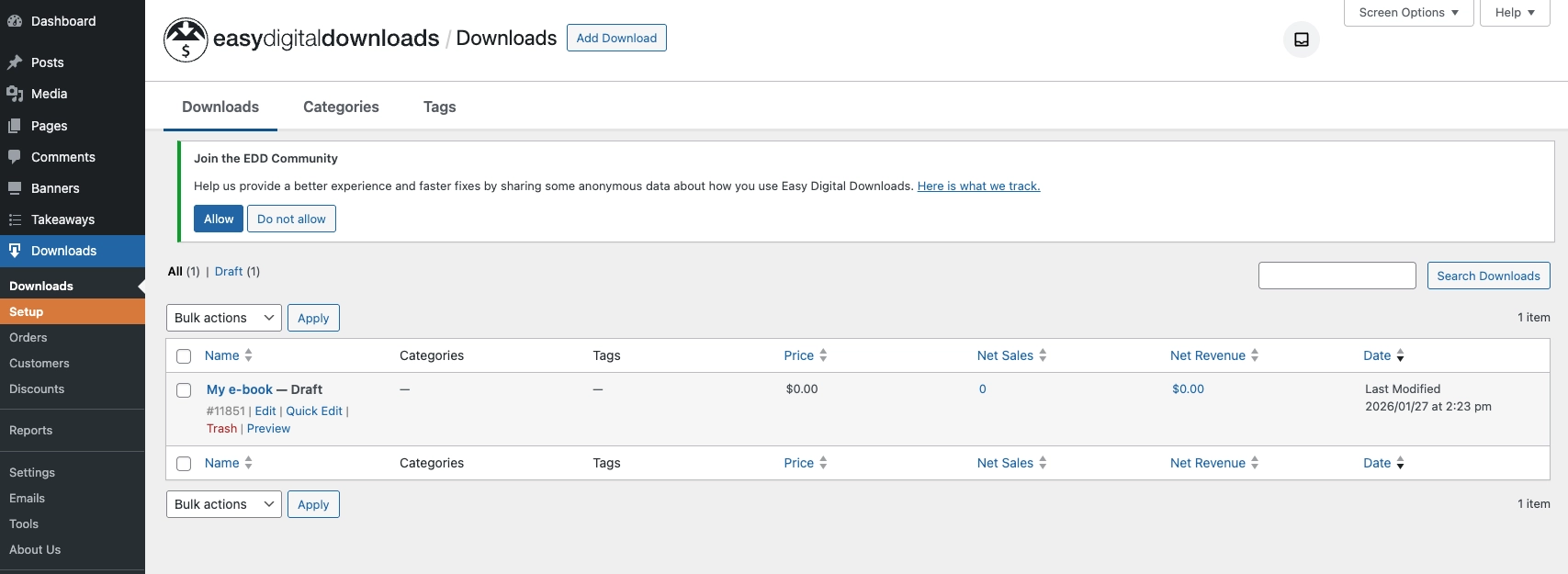
Easy Digital Downloads (EDD) is one of the most popular WordPress plugins for selling digital products, as it focuses purely on file-based e-commerce. With the setup wizard, you can launch a digital store in minutes and get access to features like an integrated shopping cart, flexible payments, discount codes, customer management, and a clean checkout experience.
Why I picked Easy Digital Downloads
I liked Easy Digital Downloads because it doesn’t try to be everything at once and focuses purely on digital commerce. That results in a streamlined checkout flow, flexible product management, and great reporting tools for tracking revenue, customers, and performance over time.
If you are selling digital products like ebooks, software, templates, courses, etc., I believe Easy Digital Downloads is one of the best WordPress plugins you can get. It handles digital file delivery securely, providing customers with a unique protected download link. Store owners can control access, monitor downloads, and ensure files are available only to paying customers.

That said, some users have raised concerns about EDD’s Stripe integration. It uses Stripe Connect for onboarding, which should only handle the initial connection while payments run directly between your store and Stripe. Still, some store owners are uncomfortable granting third-party access during setup, so it’s worth considering before committing.

Standout features
- Designed specifically for digital downloads
- Secure checkout block
- Flexible payment options (Stripe, Square, PayPal, etc.)
- Reporting tools to track revenue, taxes, customers, etc.
- Discount code system
- Customer management
- Extensible ecosystem
Pricing
Personal Plan: €99.50/month (billed annually)
Extended Plan (best value): €199.50/month (billed annually)
Pros and cons
| Pros | Cons |
|
Highly customizable and developer-friendly |
|
|
Strong reporting and analytics |
More technical than beginner tools |
|
Extra costs can occur if you want a more advanced tool set with paid extensions |
|
|
Customer and discount management |
|
|
Over 100+ integrations available |
|
|
14 years on market, used by many business owners |
3. Download Monitor: best for simple file delivery
Download Monitor is a lightweight WordPress plugin built for managing, protecting, and distributing digital files. Instead of running a full e-commerce system, it focuses on doing one thing well: handling downloads. You can upload files, generate download links or buttons, track performance, and protect your content.
Why I picked Download Monitor
Download Monitor is a simple, intuitive tool that fits sellers who don’t need a full e-commerce store but still want professional file handling. If you run a WordPress website and are selling templates, whitepapers or PDF-files and want a smooth file delivery and checkout process, Download Monitor will be perfect for you.

The plugin lets you serve files securely from your WordPress site or external services like Google Drive via extensions. It protects files from direct access, tracks downloads, and can limit access using email lock, CAPTCHA, or form submissions. This makes it useful also for lead generation.
I should note that despite all the simplicity, Download Monitor is fairly basic as a selling platform. The payment support is limited compared to full e-commerce plugins, and most advanced features require paid extensions.

Standout features
- Strong download management
- Custom buttons and pages
- Download tracking
- Lead generation tools
- File protection
- Document library
- Google Drive extension
Pricing
Basic Plan: $59/month
Popular Plan (best value): $129/month
Pros and cons
| Pros | Cons |
|
Advanced tools require a pricey plan |
|
|
Limited e-commerce functionality |
|
|
14-day money-back guarantee |
4. WooCommerce: best for full control and customization on WordPress
WooCommerce is the most popular way to turn a WordPress site into a fully functional online store, because it is built specifically for WordPress. It’s an open-source e-commerce platform that lets you sell physical products, digital downloads, subscriptions, bookings, and memberships from one dashboard.
Why I picked WooCommerce
I think WooCommerce is the most flexible e-commerce system available for WordPress. It gives you full ownership of your site, code, and data. You control design, checkout flow, payments, SEO integrations, and scaling. Yes, this plugin fits well for both small creators and high-volume stores processing thousands of orders per day.
WooCommerce has the largest ecosystem for WordPress. If you need licensing, subscriptions, memberships, bundles, analytics, marketing tools, automation, or custom checkout flows, there’s almost always an extension for it.
While WooCommerce is one of the most powerful plugins for WordPress, it also makes it one of the most complex. So, if you are a beginner, WooCommerce might feel overwhelming at first. Another thing to consider is that costs can grow once you start adding paid extensions, premium themes, and managed hosting.

Standout features
- Native WordPress e-commerce framework
- Secure digital downloads with access control
- Product variations, bundles, virtual themes
- Subscriptions, bookings, and memberships via extensions
- 100+ payment gateways
- Tax, shipping, and coupon management
- SEO-friendly architecture
- Marketing integrations (Google, Facebook Mailchimp)
- Mobile app for store management
- REST API, hooks, and filters for developers
Pricing
The plugin is free at its core, however, extensions and premium themes can add up costs.
Pros and cons
| Pros | Cons |
|
Full ownership of your store and data |
Steep learning curve, especially for beginners |
|
Extremely flexible for any business model |
Costs increase as you add premium extensions |
|
Massive ecosystem and community support |
Maintenance and updates are your responsibility |
|
Great for long-term growth and customization |
|
|
Built with strong SEO, offers easy integration with marketing tools |
5. Digital Download Goods Checkout for WooCommerce: for faster checkout for digital products
If you are selling digital goods with WooCommerce, forcing buyers to fill in shipping addresses and extra billing fields makes no sense. Digital Download Goods Checkout for WooCommerce fixes that. It removes unnecessary fields and speeds up the checkout flow for digital products. As a result, your customers enjoy a quick and smooth checkout process.
Why I picked Digital Download Goods Checkout
WooCommerce is great, but it’s not optimized for digital-only stores. It’s built for physical products, which means shipping details, order notes, and other extra steps that slow buyers down. Adding Digital Download Goods Checkout allows you to solve this issue with minimal setup.
So, if you are focusing on physical goods and are willing to add digital products to grow your business, Digital Download Goods Checkout allows you to keep WooCommerce and insert a quick checkout option directly on product pages.
I should stress that this plugin works only if you already have WooCommerce, and the best parts, like full quick checkout, are part of the paid versions. It’s not a standalone tool, but rather a strong optimization plugin for WooCommerce-based stores.

Standout features
- Removes unnecessary checkout fields for digital products
- Quick checkout button
- Inserts checkout directly on product pages
- Supports downloadable and virtual products
- Product filtering: allows quick buy for all downloadable products, specific categories, tags, etc.
- User role restriction
Pricing
Personal Plan: $119/year or $399 for a lifetime access
Business Plan: $299/year or $999 for a lifetime access
Pros and cons
| Pros | Cons |
|
Removes unnecessary checkout fields |
Only works with WooCommerce |
|
Limited design customization |
|
|
Not a full e-commerce system |
|
|
Helps reduce cart abandonment |
6. WP EasyCart: best for small businesses and first-time sellers
WP EasyCart is a flexible WordPress shopping cart plugin designed for sellers who want powerful features without the complexity of WooCommerce. It lets you sell digital downloads, subscriptions, services, gift cards, and even physical goods from a single dashboard. It is lighter and more beginner-friendly compared to WooCommerce, while still offering advanced payment, marketing, and delivery tools.
Why I picked WP EasyCart
I picked WP EasyCart because it strikes a nice balance between simplicity and power. WooCommerce, used on 33-39% of e-commerce websites, can feel overwhelming, especially if you are just starting your business. So I feel like EasyCart is a better option here: it gives you a full shopping cart experience without needing dozens of extra plugins.
If you sell digital products, WP EasyCart supports secure file delivery, subscription products, and integrations like Amazon S3 for hosting large files. There’s also built-in payment processing with Stripe, PayPal, Square, ApplePay and Google Pay.
Unlike many other plugins, WP EasyCart offers a free plan. That said, the free version doesn’t allow digital downloads, which is a downside for beginners. Many of the Pro extensions are geared toward physical stores, so purely digital sellers may not use everything included.

Standout features
- Supports different product types
- Amazon S3 integration for large files
- Stripe, PayPal, and Square built in
- Subscription and recurring billing support
- Coupons, promotions, abandoned cart tools
- Facebook and Instagram selling integrations
- Multi-currency and multi-language support
Pricing
Free Plan: only basic features, no support for digital downloads
Premium Plan (Best Valued): $89/year
Pros and cons
| Pros | Cons |
|
Advanced tools require paid plans |
|
|
2% application fees on the free plan |
|
|
Cheaper than many WooCommerce setups |
|
|
Can handle large product option sets without performance issues |
|
|
User-friendly interface, quick setup |
7. Ecwid eCommerce Shopping Cart: best for multi-channel selling and low-maintenance stores
Ecwid is a self-contained e-commerce solution that adds a full online store to your WordPress site without turning it into a heavy shopping cart system. Ecwid runs as a hosted platform that syncs with your site, so you can sell digital products, physical items, subscriptions, and services, and manage everything from a single dashboard.

Why I picked Ecwid
What makes Ecwid different from most WordPress plugins is that it’s closer to Shopify than WooCommerce. Your store data, security, backups, and updates are handled by Ecwid’s servers, while WordPress simply displays the storefront. Ecwid allows you to host large files, making it perfect for serious digital product businesses.
Another thing I found great about Ecwid is multi-channel selling. If you rely not only on your website, but also on Facebook, Instagram, and other channels to boost your sales, Ecwid saves a lot of manual work compared to traditional WordPress-only plugins.
The tradeoff is that Ecwid behaves more like SaaS than a pure WordPress plugin, meaning your store lives partly outside WordPress. Digital file hosting and advanced features are locked behind paid plans, and visual customization may feel limited if you’re used to a full theme control inside WordPress.
Standout features
- Hosted e-commerce inside WordPress
- Multichannel selling support
- Unlimited storage, automatic backups
- 70+ payment gateways
- Mobile apps for iOS and Android
- Multi-language and multi-currency support
- API and extension system
- PCI DSS Level 1 security
Pricing
Starter Plan: €5/month
Business Plan (Best Value): €45/month
Pros and cons
| Pros | Cons |
|
Digital files only on paid plans |
|
|
More SaaS-like than self-hosted |
|
|
Excellent security and backups |
Customization depends on Ecwid’s system |
|
Migration from WooCommerce is supported |
|
8. Sell Downloads: a simple PayPal-based plugin for digital products
Sell Downloads is a lightweight WordPress e-commerce plugin built specifically for selling downloadable files like audio, video, PDFs, images, and documents. The plugin lets you create product listings, insert individual products or full shops into posts and pages, and offer previews or demos for your files.
Why I picked Sell Downloads
I picked this plugin because it’s one of the easiest ways to start selling digital products if PayPal is your preferred (or only) payment gateway. The setup is simple: just connect your PayPal account, upload files, set prices, and publish your store. Features like product reviews, social sharing buttons, and built-in filtering make it practical and allow you not to overload your site.
The possible downside is that Sell Downloads is quite basic. You only get PayPal payments, and advanced selling tools like discounts and coupons require a premium version. It’s a good option for beginners, but if you plan on scaling your business, you might want to consider different options.

Standout features
- PayPal checkout
- Product previews and demos
- File type filtering and sorting
- Insertable products and product lists
- Built-in statistics and reports
- Social sharing buttons
- Shopping cart on premium plan
- Discount and coupon tools on premium plan
Pricing
Basic version: free
Professional version: €49.99 (one-time payment)
Pros and cons
| Pros | Cons |
|
Not the best fit for large businesses |
|
9. MemberPress: best plugin for memberships and gated content
MemberPress is one of the most popular all-in-one membership plugins for WordPress designed for selling access instead of just products. It helps you monetize content, courses, communities, and digital downloads. You can create membership tiers, drip content over time, sell subscriptions, and control exactly who has access to specific content on your website.
Why I picked MemberPress
I picked MemberPress because it’s one of the easiest ways to turn a WordPress site into a real membership business. With its content rules, paywalls, and drip scheduling, you can release downloads, lessons or resources over time instead of delivering all at once.
I also liked that MemberPress works with any WordPress theme, so you don’t need to redesign your site just to add membership or paid downloads. Plus, you get over 40 extensions, most of which are included into the pricing plans. That means fewer third-party plugins.
The downside is that MemberPress can feel overwhelming at first, so beginners may need some time to understand how everything works together. Payment gateways are also limited compared to full e-commerce platforms.
Standout features
- Membership tiers and paywalls
- Content dripping and expiration
- Built-in LMS for courses
- Subscriptions and recurring billing
- Coupons and order bumps
- Affiliate program support
- Community and profile tools
- ReadyLaunch checkout pages
- Corporate / bulk memberships
Pricing
Launch Plan: $199.50/year
Growth Plan (best value): $349.50/year
Pros and cons
| Pros | Cons |
|
Over 40 built-in extensions |
|
|
Deep WordPress integration |
|
|
Content-dripping and paywalls |
|
|
Affiliate program support |
|
|
Great support and documentation |
10. Sunshine Photo Cart: best for selling photos and client galleries
Sunshine Photo Cart is a plugin built specifically for photographers. But it can also work for selling other digital downloads if the files are tied to images, like zipped videos or protected media previews. It’s perfect for creators who want to sell galleries, proofs and protected downloads directly from WordPress without using a marketplace.
Why I pickled Sunshine Photo Cart
I picked this plugin because it solves a very specific problem better than a general e-commerce plugin. It allows creators to sell photos in a professional, user-friendly way. Sunshine Photo Cart lets buyers browse galleries, favorite images and purchase directly from previews, and it feels much more natural for creative work.
I think it’s also great that Sunshine Photo Cart is flexible with delivery and storage. The plugin integrates with Amazon S3, so you’re not limited by your web host when dealing with large photo libraries. It also works with any WordPress theme, so you don’t need to redesign your site just to add a photo store.
The downside is that digital downloads require paid extensions, and the plugin isn’t the best choice if you plan to sell lots of non-image products.
Standout features
- Unlimited galleries, images, and products
- Secure client galleries
- Automatic watermarking
- Favorites and proofing tools
- Amazon S3 file delivery
- Stripe, Paypal and Square payments
- Gallery expiration dates
- Social sharing from galleries
- Customer account and download history
Pricing
Free Plan: includes essential selling features
Plus Plan (best value): $74.50/first year
Pros and cons
| Pros | Cons |
|
Perfect for photographers and creatives |
Digital download selling requires a paid extension |
|
User-friendly buying experience for image-based products |
Not ideal if you sell mostly non-visual products |
|
Scales well for large photo libraries |
Fewer marketing tools than full e-commerce platforms |
|
Good balance between client proofing and selling |
|
|
Easy to adapt without changing your site theme |
11. RomanCart: best for adding checkout anywhere on your site
RomanCart is a hosted shopping cart solution that connects WordPress via a plugin and focuses on embedding commerce into existing pages instead of building a full store from scratch. You can add “Buy” buttons, widgets, even an entire embedded storefront to your website and sell digital downloads, tickets, services, and physical goods.
Why I picked RomanCart
I think RomanCart takes a very different approach compared to typical WordPress e-commerce plugins. It lets you drop “Buy Now” buttons, widgets, or a storefront anywhere on your site, blog posts, or even social media pages, making RomanCart a powerful tool.
The plugin also helps boost conversions. You can use floating carts, embedded storefronts, and built-in marketing tools. If you focus on digital products, RomanCart stands out with automatic file delivery, time-limited download links and other useful options. But there’s a downside too: storage and bandwidth limits for digital products are tight compared to competitors.
Standout features
- Embedded “Buy” buttons and widgets
- Hosted storefront for WordPress
- Floating cart that stays on-page
- Time-limited digital download delivery
- Ticket sales with QR codes
- Social sharing on products
- Sales reports and analytics
- Built-in email and affiliate marketing tools
- Multiple payment gateway support
Pricing
Free plan: includes essential selling features
Starter plan (best value): €400/ year
Pros and cons
| Pros | Cons |
|
Flexible for embedding checkout anywhere on your website |
File storage is limited for digital sellers |
|
Works well for content sites that don’t want a full store rebuild |
Bandwidth caps can become expensive as you scale |
|
Secure checkout, PCI-compliant |
Limited customization compared to other plugins |
|
Versatile sales options: physical, digital, service/booking products |
12. WordPress Download Manager: best for building a digital marketplace
WordPress Download Manager is built specifically for managing and selling digital files. It gives you full control over file delivery, access permissions, licensing, and checkout. You can sell single files, bundles, or license-based products while protecting your content with passwords, role restrictions, CAPTCHA, and download limits.
Why I picked WordPress Download Manager
I think it’s one of the strongest options if your business is purely digital, because Download Manager helps both sell and protect your files. You can control who downloads what, how often, how fast, and from where, which helps prevent abuse and unauthorized sharing.
Another big advantage is cloud storage integration. You can host files on Google Drive, Dropbox, OneDrive, etc. to save server space, and still deliver files securely through WordPress. And one more thing I found advantageous is the flexible pricing system. You can sell with variations, “pay what you want”, subscriptions, expiring access, and licence levels.

Standout features
- Secure file delivery with passwords, roles, CAPTCHA, and IP blocking
- Built-in cart and checkout for digital products
- License-based and variable pricing
- Cloud storage integrations
- Download limits, speed control, and expiration rules
- Integrated document and media preview
- Coupons, invoices, and detailed sales reports
- Guest checkout and guest downloads
- Marketplace and front-end product submissions (on Pro plan)
Pricing
Free lPan: includes essential features
Pro Plan (best value): $99/year
Pros and cons
| Pros | Cons |
|
Detailed tracking, password protections, and role–based access to restricted files |
Interface can feel complex for beginners |
|
Allows extensive template customization for download links |
Requires setup time to unlock the full potential |
|
Supports multi-file packages and provides social media locking features (e.g., share to download) |
Some users report compatibility issues with certain WordPress themes |
|
Works well for both stores and document portals |
|
|
Scales from simple downloads to full digital marketplaces |
13. PayKickstart: best for maximizing recurring revenue and retention
PayKickstart is a SaaS-based checkout, billing, and affiliate management platform built primarily for digital products, subscriptions, and trials. It doesn’t act like a traditional WordPress plugin. Instead, it works as an external system that you can connect to your website to process payments and handle customers, subscriptions, and affiliates in one place.
Why I picked PayKickstart
PayKickstart is designed for businesses that need more than simple payments, so it goes far beyond basic checkout functionality. It combines billing, subscriptions, churn reduction, and affiliate management into a single platform, which removes the need for multiple third-party tools.
Another thing I liked about PayKickstart is how much control you get over the customer lifecycle. From free trials and upgrades to dunning emails and cancellation-saver flows, this plugin is built to help you maximize customer lifetime value.
That said, I find PayKickstart quite sophisticated. The interface can feel overwhelming, and the pricing is rather high compared to simpler tools. If you don’t need advanced retention, PayKickstart may not be the best fit for you.
Standout features
- Customizable hosted and embedded checkout templates
- Subscription and recurring billing management
- Revenue retention and dunning tools
- Built-in affiliate management system
- Advanced reporting and analytics
- Trial offers, upsells, conversion boosters
- Multi-currency and global payment support
- API access for custom workflows
- Mobile app for monitoring performance
Pricing
There is a 14-day free trial period. Monthly subscription starts with $63.17/month, billed annually, and depends on your monthly revenue.
Pros and cons
| Pros | Cons |
|
Great for subscriptions and recurring revenue |
|
|
Strong focus in retentions and churn reduction |
Expensive compared to simpler checkout tools |
|
Built-in affiliate system reduces toll sprawl |
Interface can feel complex |
|
High-level security and compliance |
|
|
Scales well for high-volume digital businesses |
14. WordPress Simple Shopping Cart: best lightweight option for small digital stores
If you want to sell a few products without turning your WordPress website into a full e-commerce ecosystem, Simple Shopping Cart is one of the easiest ways to do it. It’s a free e-commerce plugin for WordPress that allows you to add “Add to Cart” buttons and a simple checkout. The plugin won’t slow down your site, and the setup is quick.
Why I picked Simple Shopping Cart
Not everyone needs a full e-commerce stack, so I find Simple Shopping Cart perfect for smaller creators. If your goal is to just take payments and deliver digital files, this plugin does exactly that. It’s very appealing for beginners and side projects. Since it’s free and PayPal-first, you can launch quickly without committing to complex integrations.
Simple Shopping cart works especially well for creators selling small batches of digital products like ebooks, music files, templates, or videos. Instead of managing a full catalog system, you create products with shortcodes and drop them into posts or pages wherever they make sense.
However, if you plan on growing your business and add subscriptions, advanced automations, or large catalogs later, you will eventually outgrow Simple Shopping Cart and need something more advanced.

Standout features
- Shortcode-based “Add to Cart” buttons
- Lightweight cart that embeds anywhere
- PayPal Commerce Platform checkout
- Optional Stripe payments
- Coupon creation and expiry dates
- Automatic delivery emails for digital files
- AJAX add-to-cart for smoother UX
- Compact cart widgets and block
- Sandbox and test modes
- Minimal configuration and performance
Pricing
Simple Shopping Cart is free
Pros and cons
| Pros | Cons |
|
Limited scalability for larger stores |
|
|
No built-in subscriptions or funnels |
|
|
Free with no paid extensions |
Basic reporting compared to full platforms |
|
Great option for simple digital product sales |
15. SureCart: all-in-one managed e-commerce for WordPress
SureCart is a newer generation e-commerce plugin built specifically for WordPress, but with a more managed approach than traditional plugins like WooCommerce. It doesn’t rely on dozens of addons. SureCart comes with subscriptions, upsells, taxes, affiliates, and digital delivery already built in.
Why I picked SureCart
Firstly, I felt that SureCart is especially strong in performance and UX. The checkout, customer portal, and admin experience are clean and fast, so you don’t need to redesign your site just to make e-commerce work. Because of that, SureCart behaves more like a managed platform than a pure WordPress plugin, which might be the downside for those used to building everything manually.
Another thing I liked about SureCart is how flexible it is. It works natively with Gutenberg, Elementor, and Bricks, so you can visually customize product lists, carts, and checkout pages without touching code. It’s a big win for non-developers who want appealing, high-converting pages.

Standout features
- Visual checkout and cart customizations
- Secure file delivery
- Subscriptions, trials, and installment plans
- Order bumps and one-click upsells
- Cart abandonment recovery
- Affiliate platform
- License key management for software
- Built in tax and EU VAT handling
- Multi-currency and global payments
- Customer self-service portal
- Developers APIs and webhooks
Pricing
Launch Plan: free, includes essential features and a 1.9% transaction fee
Pro Plan (best value): $179/year
Pros and cons
| Pros | Cons |
|
Modern UI and fast checkout experience |
Dependency on SureCart’s external server |
|
Many advanced tools are included by default |
Lacks bulk order management option |
|
Visual customization with page builders |
Not the best fit for those used to fully customizable options |
|
Reduces dependency on multiple plugins |
|
|
Automated VAT/tax management |
|
16. BigCommerce: best plugin for scalability
This plugin connects your WordPress to BigCommerce’s SaaS e-commerce engine. WordPress handles the frontend and content, while BigCommerce runs the heavy commerce tasks like checkout, payments, catalog management, shipping, and security. This allows you to have a faster, more scalable store without giving up WordPress design control.
Why I picked BigCommerce
BigCommerce is one of the very few options that separates content from commerce. If your store is growing and WooCommerce starts to feel slow, fragile, and plugin-heavy, BigCommerce offers a way to scale without rebuilding your entire site. You keep WordPress for SEO, blogging, and design, while BigCommerce handles performance, checkout and compliance.
Other things I felt BigCommerce is strong in is security and infrastructure. The plugin manages PCI compliance, payment processing, uptime, and backend operations which removes a lot of technical and legal burden from WordPress site owners.
But there’s a tradeoff: BigCommerce is more of a SaaS platform than a native plugin, so you lose some flexibility in change for speed, stability, and enterprise-grade tooling.

Standout features
- Headless architecture (WordPress frontend + BigCommerce backend)
- Embedded checkout with PCI compliance
- Scalable product catalog and inventory syncing
- Multichannel selling (Amazon, Facebook, Google, etc.
- Gutenberg block and theme compatibility
- Centralized control panel for multiple sites
Pricing
Standard Plan: $29/month (billed annually)
Pro Plan (best value): $299/month (billed annually)
Pros and cons
| Pros | Cons |
|
Offloads checkout, payments, and security from WordPress |
|
|
Better performance for large or high-traffick stores |
Not the best fit for small or hobby stores |
|
Handles PCI compliance for you |
Less flexible than pure WooCommerce setups |
|
Good for multi-channel and enterprise sellers |
|
|
Extensive built-in features |
|
|
Allows you to run multiple stores from a single backend |
17. CartFlows: best funnel builder for WordPress
CartFlows is a powerful sales plugin for WordPress that turns your website into a high-converting sales machine with powerful funnel, upsell, and other bump capabilities. It’s designed for WooCommerce and helps you increase revenue, capture leads, and optimize the checkout experience without any coding skills.
Why I picked CartFlows
CartFlows is one of the most complete sales funnel builders for WordPress I have tested. Unlike basic WooCommerce upsell plugins, CartFlows gives you one-click upsells, order bumps, A/B testing, dynamic offers, and ready-made funnel templates. It’s a great plugin for anyone looking to increase conversions and keeping the workflow full inside WordPress.
CartFlows is very versatile. It works for a variety of industries, from e-commerce stores to online courses, agencies, consultants, and event organizers. Plus, it integrates with popular page builders like Bricks Builders and OttoKit, so you can design funnels that match your brand.

Standout features
- One-click upsells to increase average order value
- Order bumps for precheckout revenue boosts
- A/B split testing for conversion optimization
- Dynamic offers to personalize sales opportunities
- Pre-built high-converting funnel templates
- Flexible checkout layouts with conversion-focused designPowerful analytics and insights
- Integrations with popular apps and page builders
- Customizable checkout fields
Pricing
Plus Plan: $189/year
Pro Plan (best value): $299/year
Pros and cons
| Pros | Cons |
|
Seamless WooCommerce integration |
|
|
Tools to boost your revenue |
Can feel complex, especially for beginners |
|
A/B split testing and analytics |
18. ProfilePress: modern WordPress membership plugin
ProfilePress is a powerful WordPress membership plugin that lets you build paid membership sites, sell digital products, create online courses, and control content access from the frontend of your site. ProfilePress comes with a wide range of tools for membership management, content restriction, payment processing, user engagement, etc.
Why I picked ProfilePress
ProfilePress caught my attention because it combines membership management, frontend login/registration forms, digital product sales, content protections, and LMS integration in a single platform. It’s perfect for anyone looking to monetize content, sell courses, or create a community.
It’s fully customizable, integrates with WooCommerce, LMS plugins, email marketing services and supports multiple payment gateways. It also offers advanced security features like two-factor authentication, spam protections, and passwordless login.

Standout features
- Paid memberships and e-commerce
- Frontend forms
- Content and access restriction
- Online courses integration
- Member management
- Pre-built themes and templates
- Coupons and discounts
- Social login and email marketing
- Advanced security
- Addons for PDF receipts, invite codes, subscription expiration, and more
Pricing
Standard plan: $129/year
Plus plan (best value): $299/year
Pros and cons
| Pros | Cons |
|
Complete membership management in one platform |
|
|
Multiple payment gateways supported |
|
|
Pre-built themes save design time |
Without CSS/HTML knowledge, customization options are quite limited |
|
Full control over content access |
Which WordPress e‑commerce plugin is best in 2026?
There’s no single best WordPress e-commerce plugin that fits every store. The right choice depends on what you are selling, how you sell it, and how much control you want over the experience. Some tools excel at simple digital downloads, others at full commerce systems, memberships, subscriptions, or advanced funnels and retentions.
As you evaluate WordPress plugins, you might want to keep these key criteria in mind:
- Choose plugins that match your products. Look for secure delivery and licences for digital goods, inventory and shipping for physical items, recurring billing for subscriptions, or flexible tools for mixed stores.
- Ease of setup vs. customization. Some tools are super fast to launch, while others offer deeper control at the cost of complexity. If you are not technical, choose something that minimizes maintenance.
- Growth and scalability. Evaluate if the plugin will grow with your business. Do you plan to add memberships, upsells, abandoned cart recovery etc. later? Does the plugin support those tools?
- Payment and checkout flexibility. Look for plugins that support gateways you need, accept global currencies, and provide optimized checkout experiences.
- Security and performance. E-commerce is related to customer data and payments. Make sure your plugin handles PCI compliance, secure checkout, file protection for digital goods, and doesn’t slow down your site.
- Support, community, end ecosystem. A plugin with strong community, good documentation, and reliable support will save you time and headaches, especially when you scale or run into issues.